A CRM for service businesses, built around the client record
Ariyel's CRM puts each client's whole relationship on one contact record, with linked deals, Gmail threads, calendar meetings, tasks, notes and files, so anyone on your team can pick up a client without asking the person who sold them.
Service businesses don't sell one-off transactions. The same client buys a project, then a retainer, then a second service, and three different people talk to them along the way. Ariyel is built around that pattern: the contact holds the relationship, and each opportunity is a separate deal linked to it.
One contact, many deals
In Ariyel a contact can have several deals, while each deal has one associated contact. That makes a returning client easy to read: the record's Deals field lists every opportunity, and the Overview shows Open pipeline as a highlight.
Contacts don't have to be typed in. They arrive from:
- Google email and calendar sync, by a workspace rule: All contacts, Selective (people your team emailed, replied to or met with; the default) or None
- Quo calls and texts from unknown numbers (optional)
- Workflows, with Create record or Create or update record matching on email
- The deals board, where a new deal's Company is matched to an existing contact or creates one
- The API, which creates or updates a contact by email and can attach a deal
Only Name is required. Email, Company, Status and Owner sit in the primary fields; everything else sits behind View all fields.
Everything about the client, on the record
Open a contact and you get a fixed set of tabs: Overview, Activity, Emails, Meetings, Notes, Tasks, Files, plus Messages when Quo is connected. Each tab shows a count.
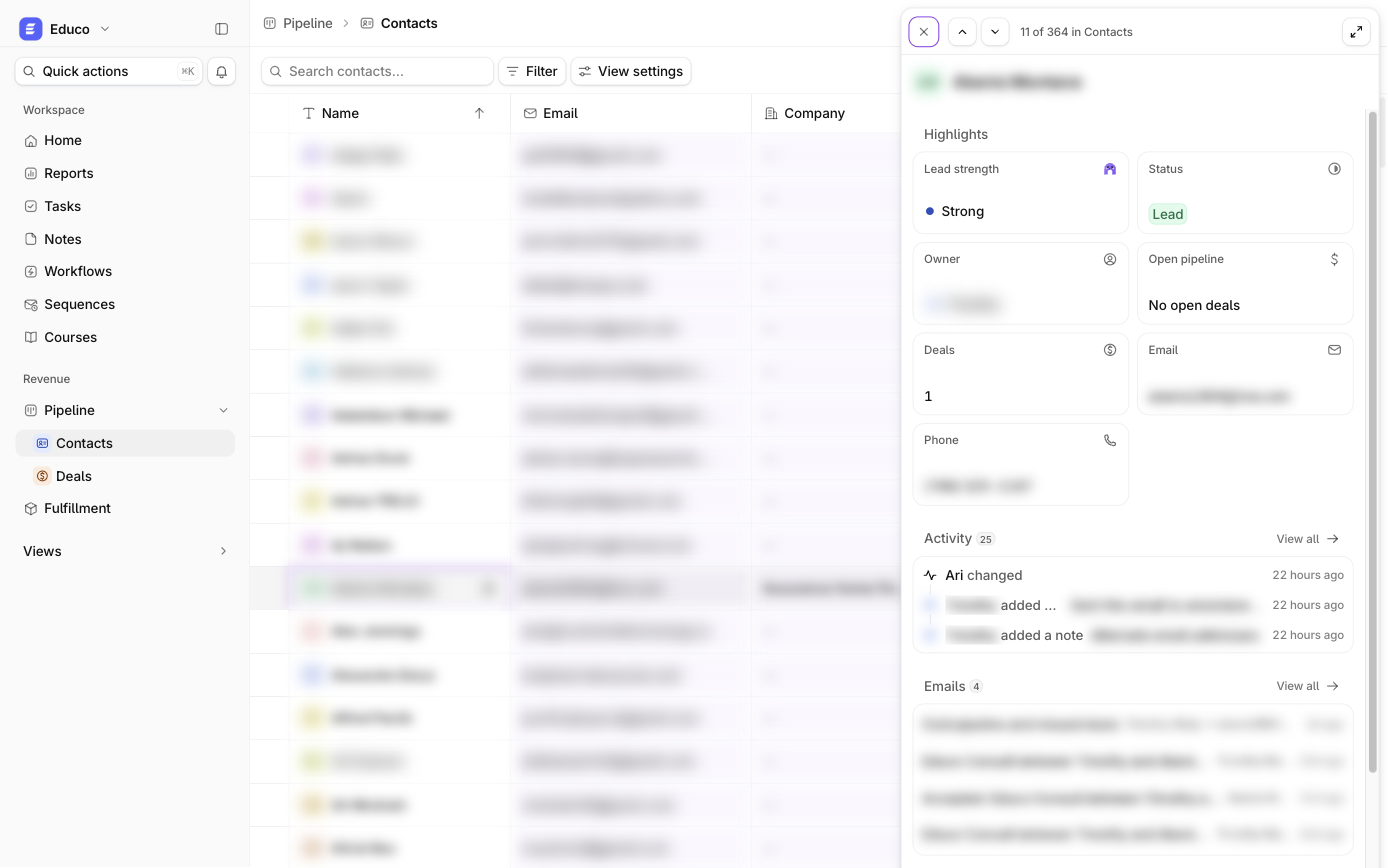
- Activity groups the timeline under Upcoming, This week and by month, filterable by Meetings, Emails, Tasks, Notes, Record updates, Messages and Calls.
- Emails and Meetings come from connected Google accounts, matched on the contact's email address. Each mailbox owner chooses what the team sees: participants and timestamps only, subject lines (the default), or full messages.
- Files accepts uploads up to 25 MB each (PDF, Office, iWork, images, CSV, ZIP and more).
- Compose email sends from your own Gmail, and the reply lands back on the record after the next sync.
The side preview lets you scan a list without losing your place: hover a row, choose Open preview, and step previous/next through the current filtered list.
Custom fields and lookups that fit your service
Each object (Contacts, Deals, Tasks) holds up to 50 fields, built-in ones included. Field types: Single line text, Long text, URL, Number, Single select, Multiple select, Person, Date, Attachment, Button, plus "filled in for you" fields: Lookup, Created time, Last modified time, Created by, Last modified by.
Examples from service businesses:
- A consultant adds Engagement type (single select: Audit, Retainer, Workshop) and Renewal date (date) on deals.
- An agency adds a Lookup on contacts that shows Engagement type from every linked deal, so the contact table answers "what does this client buy from us?" without anyone copying values.
Lookups are read-only and always reflect the source record. Changing a field's type is locked while records hold values, which protects you from accidentally wiping data.
Saved views your whole team shares
Filters use the same condition builder everywhere in Ariyel: is any of, is none of, has all of, is empty, relative dates like is within this calendar week, condition groups, and up to 49 conditions. Two ways to save:
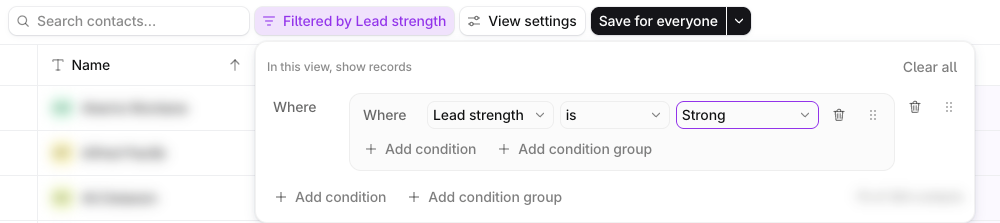
- Save for everyone sets the one shared default filter for Contacts, Deals, Tasks or Fulfillment.
- Save as new view creates a named view in the sidebar, shared with the workspace. A workspace holds 10 named views across all objects, so the sidebar stays short.
Column order, hidden columns and sort are personal, so your layout never rearranges a teammate's.
Fast table work for the person doing data entry
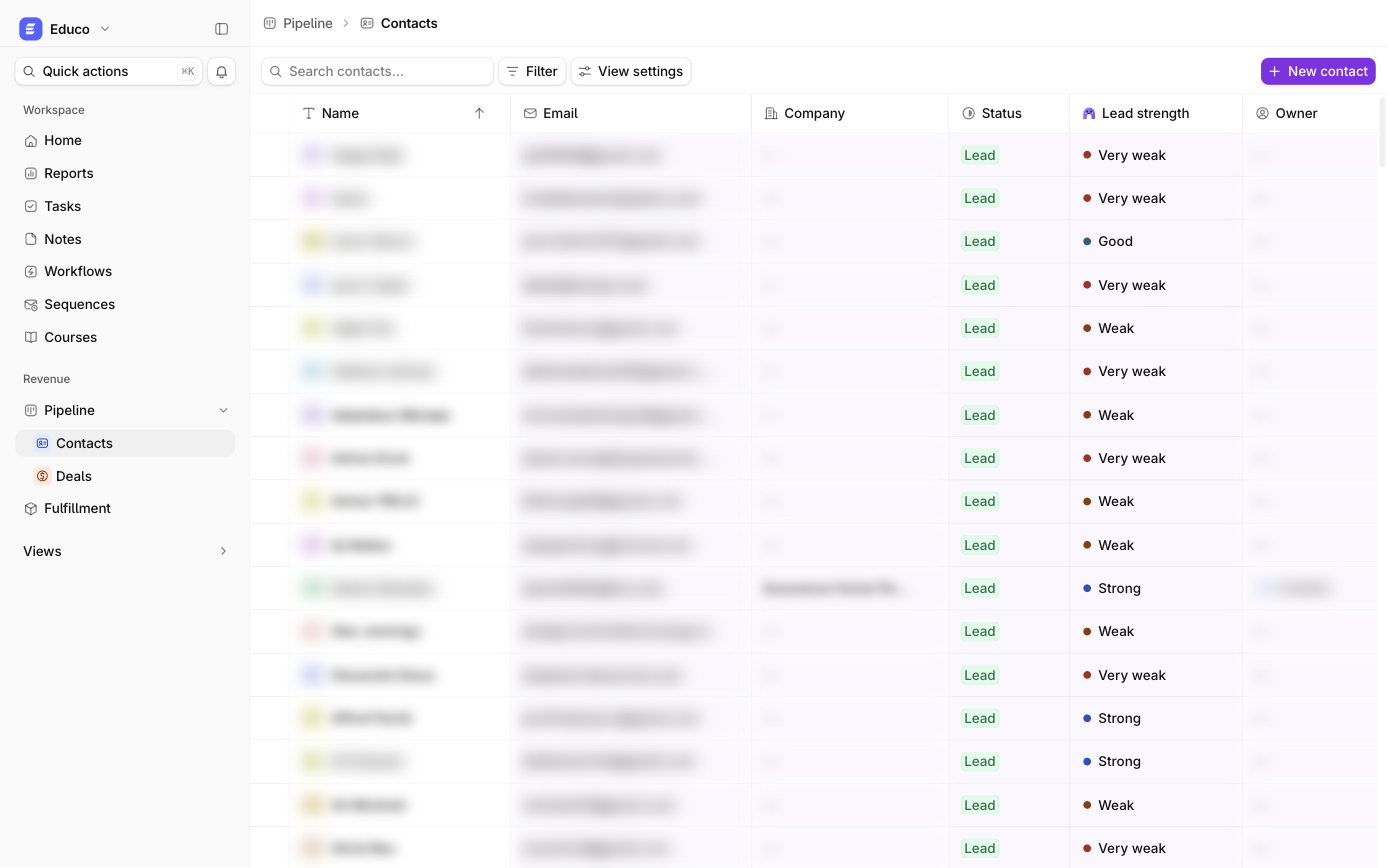
The Contacts table behaves like a spreadsheet where it matters. You can edit cells in place, drag-select a block of up to 500 rows and copy it as tab-separated text (for Sheets or Excel) or as an HTML table (for Docs, Notion or email). Pasting from a spreadsheet fills selected cells, and Undo is available. Bulk Set status, Assign owner and Export CSV work on selected contacts. ⌘K Quick actions start a new task, note or fulfillment from anywhere.
How it works in Ariyel
- Connect Google under Settings → Email and calendar accounts and choose 30, 60 or 90 days of history to import.
- Set the contact-creation rule (All, Selective or None) so the CRM fills itself from real conversations rather than every newsletter.
- Add your custom fields in Settings → Objects for the details you filter on: service type, renewal date, referral source.
- Link deals to contacts from the contact's Deals field so every opportunity sits under the right relationship.
- Save the views your team checks daily, such as "My clients with no open task" or "Contacts with no owner."
- Work from the record: add a task for every next action and a note for every agreement.
Implemented for you
During implementation, Ariyel's team sets your contact statuses, custom fields, lookups and shared views to match how your business already sells and delivers, then trains your team to work from the record. See how Ariyel is implemented.
FAQ
Should a returning client be a new contact? No. Keep one contact and add a new linked deal for each opportunity. Deleting a contact clears the contact link on its deals but leaves the deals in place.
Can teammates read my email? Only what you allow. Each mailbox owner picks Participants and timestamps, Subject lines too or Let the team open messages, and protected or blocked addresses stay hidden either way.
What's the difference between a note and a task? A task is an action with an assignee and a due date. A note is context, such as a call summary or an agreement. Every note belongs to one contact or deal.