CRM workflow automation that does the handoffs for you
Ariyel workflows listen for an event in your CRM (a deal changing stage, a note being added, a call ending in Quo) and then run real actions: create or update records, start a client onboarding checklist, enroll someone in an email sequence, create a task, or send a text.
The work that slips in a service business is usually the handoff between people: sales to delivery, a call to its follow-up, a new lead to the first email. Workflows are for those moments. They change your records for real, and the visual editor shows exactly what will run.
Three workflows most service businesses build first
1. Won deal → onboarding starts Trigger: Field value changed · Deals · Stage Filter: Stage is Closed won Actions: Start fulfillment (template: "New client onboarding", deal: the triggering deal) → Create task "Book kickoff call and confirm missing assets", linked to the deal and assigned to the account manager
2. New lead → follow-up sequence → owner check-in Trigger: Record created · Contacts If: Status is Lead → True: Enroll in sequence "New enquiry follow-up" → Delay 3 days → Create task "Call if no reply"
3. First text from a new number → acknowledge and assign (Quo) Trigger: Text received · Only when: It's the first text from this number Actions: Send a text from the record owner's line: "Thanks for getting in touch, {first name}. Someone from the team will reply shortly." → Create task "Reply to new texter" linked to the contact Texts go only to contacts whose Text consent is Yes, and only between 8 AM and 8 PM in the workflow timezone. Anything outside that window is skipped.
Triggers and actions available today
| Triggers | Actions | Flow |
|---|---|---|
| Record created (contact or deal) | Create record | Filter |
| Record updated (optionally one field) | Create or update record (matches contacts on Email, deals on Name or Contact) | If (true / false paths) |
| Field value changed | Update record | Delay (minutes, hours, days) |
| Task created | Enroll in sequence / Exit from sequence | Delay until (date and time) |
| Note created | Start fulfillment | |
| Quo: Text received, Call completed, Call summary ready, Contact opted out | Create task / Update task / Complete task | |
| Create note | ||
| Quo: Send a text (up to 1,600 characters) |
Most inputs accept Use a variable, so a new deal's Contact can be "the contact that started this run," and a text can include the contact's first name.
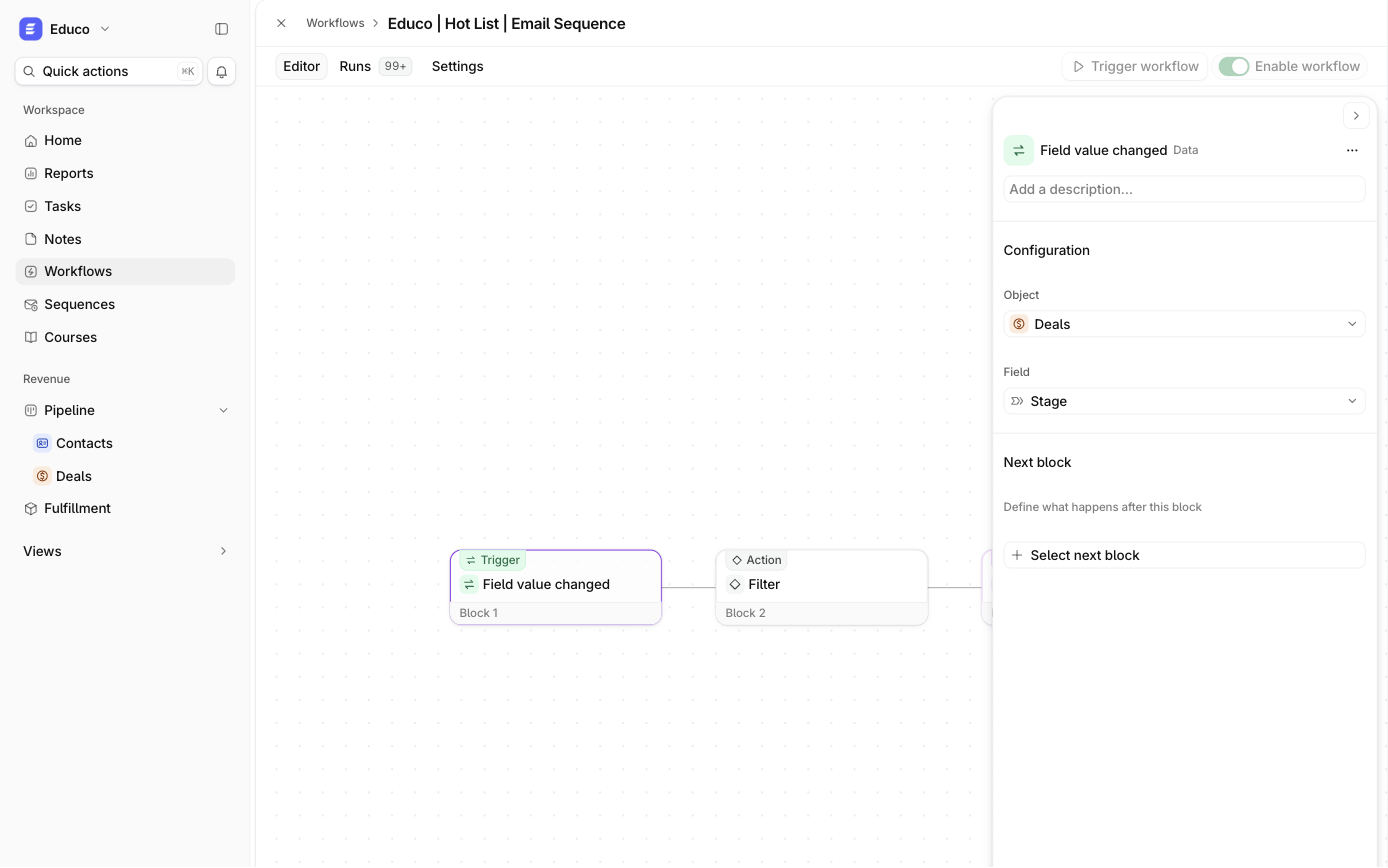
Lead strength works as a trigger too. When Ari's label on a contact changes to Very strong, a Field value changed workflow with a Filter can create a "call them today" task. Ari's bulk re-ratings (the day lead strength is switched on, or the night after an admin rewrites a level) update labels without firing workflows, so you won't trigger a mass action by accident. See Ari.
Safe to switch on
Automation in a CRM can do damage at scale. Ariyel's workflow model has guardrails built in:
- Draft, publish, enable are separate. Any member can build a draft; an owner or admin publishes it, then switches it on. New workflows start switched off, and edits don't affect the live version until published.
- Each run keeps its snapshot. Switching a workflow off stops new runs; work already in flight finishes on the version it started with.
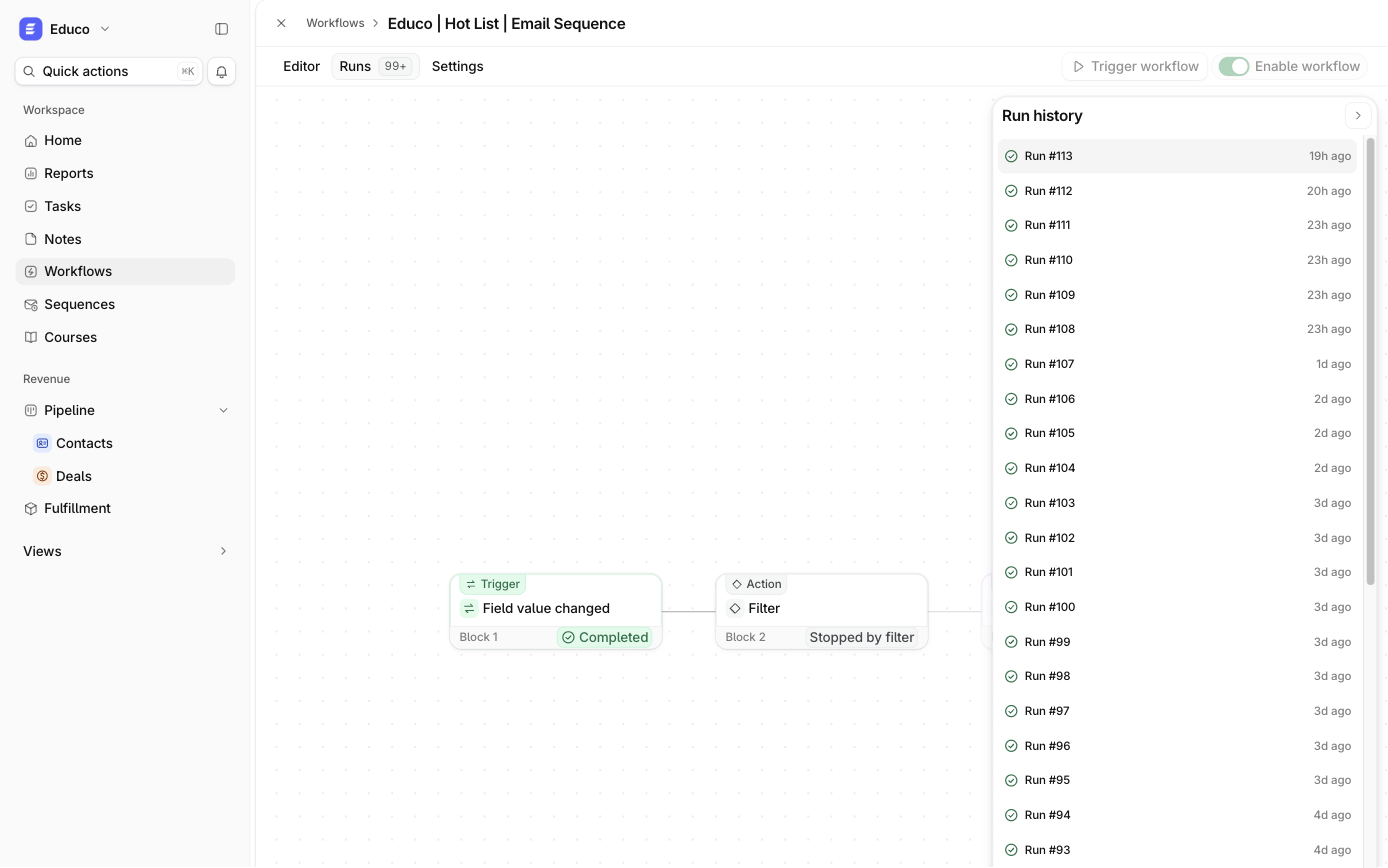
- Runs are inspectable. Every block shows Completed, Stopped by filter, Waiting, Skipped, Enrolment refused, Failed or Did not run. Run history is kept for 90 days.
- Failure emails. The workflow's creator is emailed the failed block and a link to the run (at most one per failure reason per 24 hours).
- Trigger workflow lets an owner or admin queue a real run on a chosen record to test it. This is not a dry run, so pick an appropriate record.
How it works in Ariyel
- Write the rule in one sentence before opening the editor: "When a deal enters Closed won, start onboarding and give the owner a kickoff task."
- Workflows → New workflow → Start from scratch, then pick the narrowest trigger that matches. Prefer Field value changed · Stage over a broad Record updated.
- Add a Filter right after the trigger so only the runs you mean continue.
- Add actions, filling inputs with variables from the trigger.
- Set the workflow timezone in Settings if you use Delay until or Quo texts. New workflows start in UTC.
- Publish, enable, then run it once with Trigger workflow on a real record and check Runs.
Implemented for you
Most teams know what they want automated but not which trigger is safe at scale. Ariyel's team builds and tests your first workflows during implementation (typically the won-deal handoff and new-lead follow-up) and shows your admin how to read Runs. See implementation.
FAQ
Can a workflow send an email? Yes, through Enroll in sequence, which starts a sequence that sends from your verified domain.
What happens if I import 500 contacts with a Record created workflow live? Each created contact can start its own run. Scope triggers and add Filters before bulk imports or updates.
Who can publish a workflow? Owners and admins. Any member can build and edit the draft.