Email sequences inside your CRM, sent from your own domain
Ariyel Sequences send a series of scheduled follow-up emails to contacts you enroll. Mail goes out from your verified domain, within the hours and days you allow, and stops automatically when someone unsubscribes, bounces, replies, or a linked deal meets conditions you set.
The first follow-up usually gets sent. The fourth usually doesn't, and nobody's sure what the prospect has already received. A sequence fixes the "did anyone follow up?" problem, and because it lives in the CRM, it can stop the moment the deal moves on.
Sent from your domain, with replies to a real person
Sequence email doesn't come from a shared marketing address. An owner or admin adds your domain under Settings → Sending domain and publishes the SPF, DKIM and DMARC records Ariyel shows. Verification usually takes minutes, sometimes hours. Then:
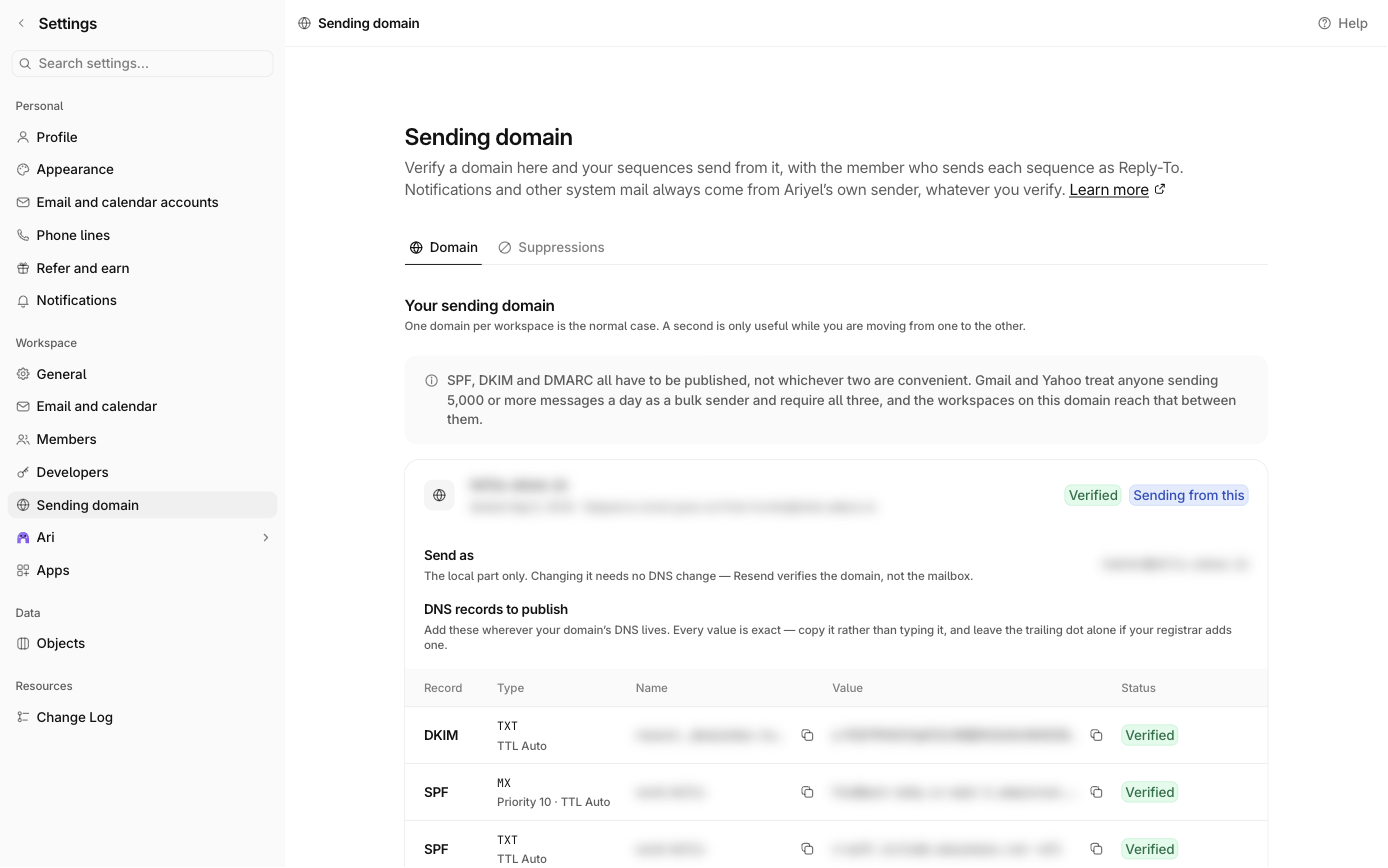
- Mail leaves from a Send as address on your domain, with your workspace name as the sender name.
- Replies go to a teammate's connected Google mailbox, so a reply lands in a real inbox, not a no-reply address.
- Include sender signature adds that teammate's saved signature. The Ariyel watermark is never added to sequence email.
Cadence you control, down to the business day
Each step is an automated email with its own subject, body and delay. The first step can go immediately after enrollment; each later step waits a set number of hours or days after the previous email is sent. Around those delays:
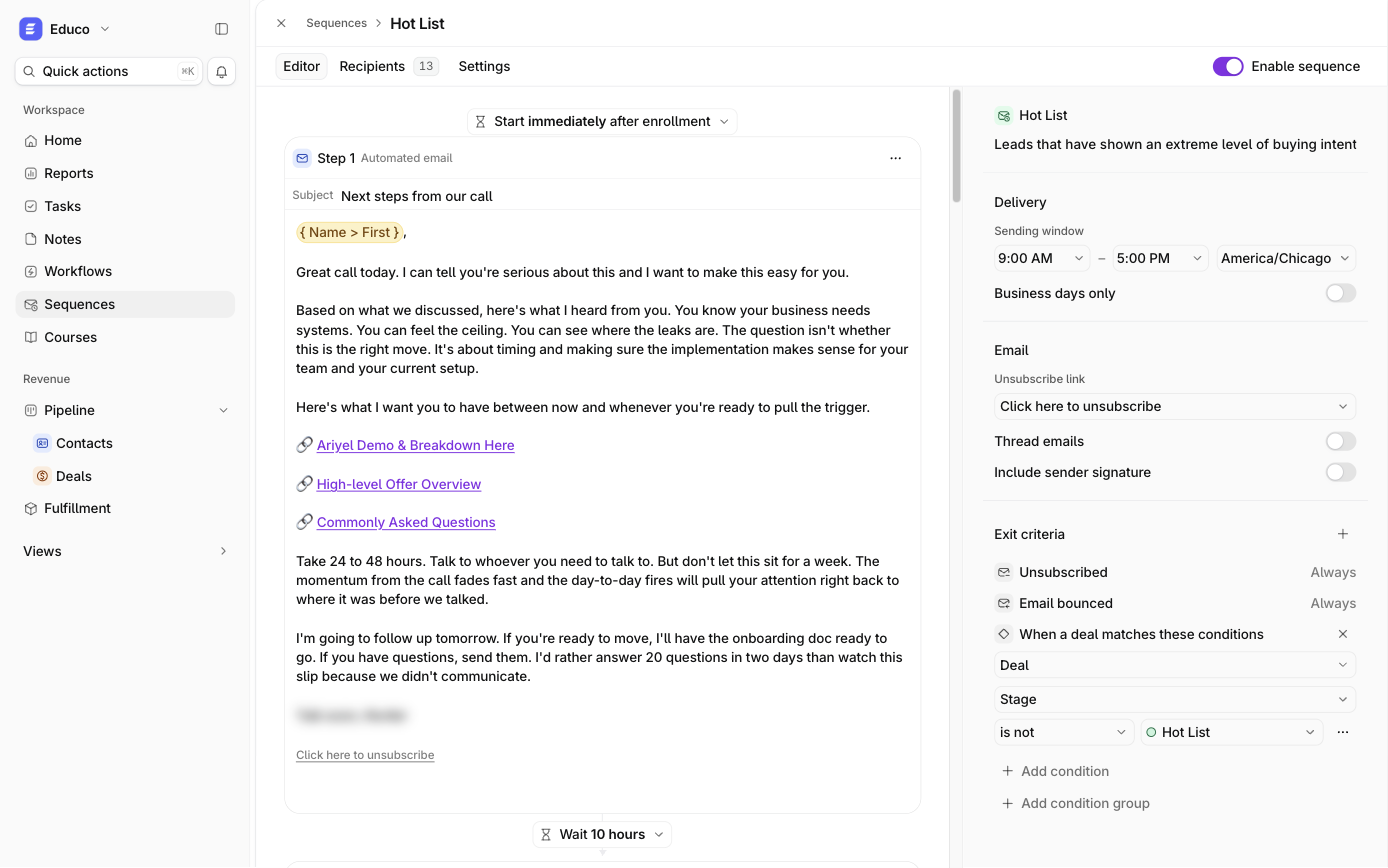
- Sending window and timezone. New sequences default to 9:00 AM–5:00 PM on weekdays.
- Business days only.
- Thread emails (on by default) sends later steps as replies in the first email's thread, so the prospect sees one conversation.
- Variables: First name, Last name, Name, Email, Company, Deal name and your custom contact or deal fields. An empty first name reads "there", never "Hi ,".
- Attachments: images up to 5 MB in the body; files up to 10 MB per step.
Example: a four-step post-discovery sequence for a consultant
| Step | Delay | Job of the email |
|---|---|---|
| 1 | Immediately | Recap of the call and the one problem they named |
| 2 | 2 days | A short case example of that problem solved |
| 3 | 4 days | What the first 30 days of an engagement look like |
| 4 | 5 days | Direct question: "Is this a priority this quarter, or should I check back later?" |
Exit criteria: Reply received, plus Deal · Stage is any of Proposal sent, Closed won, Closed lost.
Exit criteria that read the CRM
Unsubscribed and Email bounced always apply. You can add:
- Reply received. The reply must reach a Google mailbox connected to Ariyel, and it's checked just before the next email is due.
- When a record matches these conditions. Use the same filter builder as the rest of Ariyel, on the contact (for example Lead strength is Weak or Very weak, or Status is Client) or on any linked deal (for example Stage is Proposal sent).
This is the main advantage over a separate email tool: the sequence knows the deal moved, so a prospect never gets "just checking in" the day after they signed.
A journey for every recipient
Open Recipients to see each person's confirmed sends, upcoming steps, the version they're on, and any hold or exit reason. Exit reasons include Replied, Matched exit criteria, Unsubscribed, Suppressed, Removed by hand and Sender removed. Holds say exactly what's wrong, for example Sender has no mailbox or No email address.
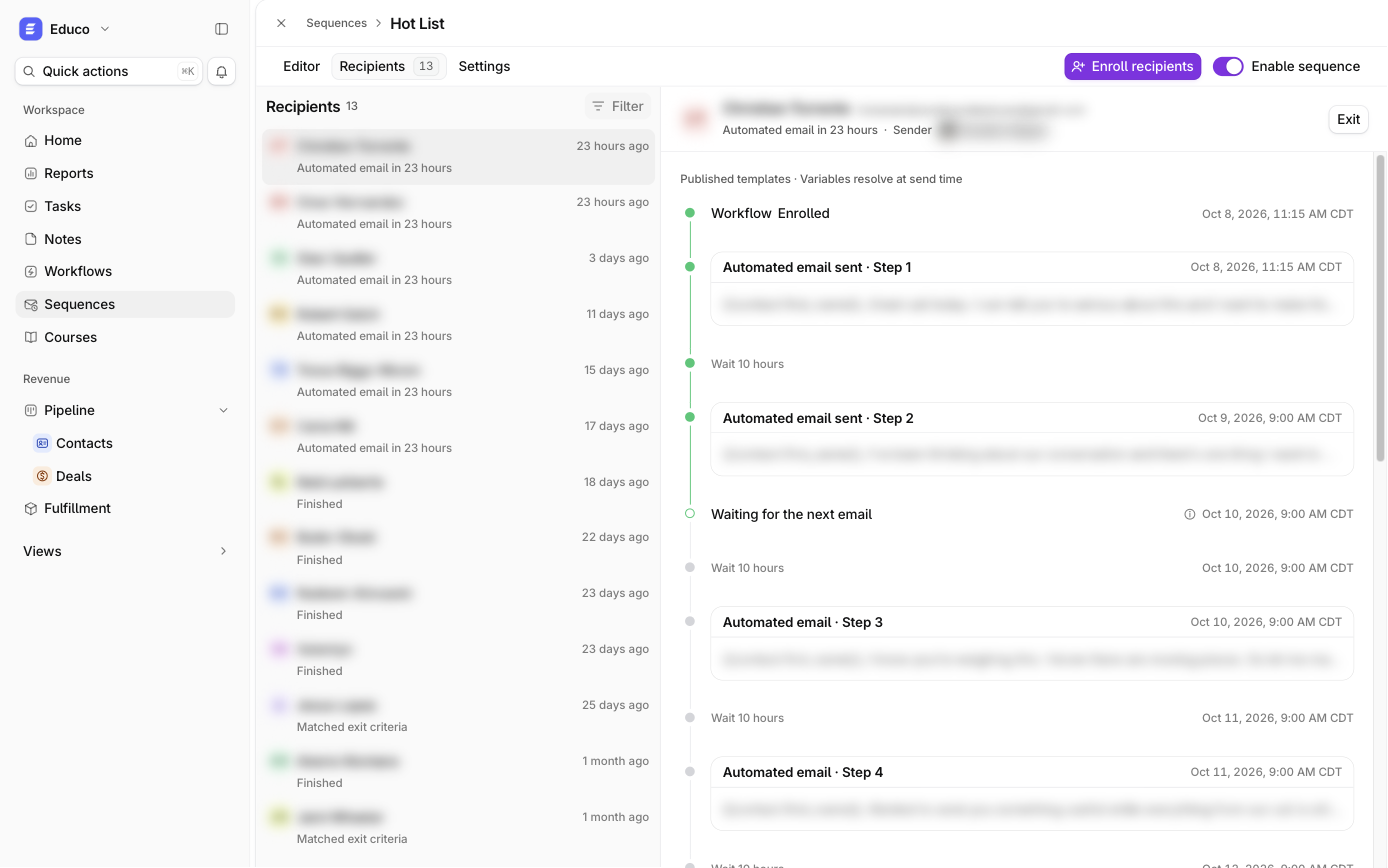
Each enrollment keeps the version it started with. Publishing an improved version affects new enrollments only, so you can edit a live sequence without changing what existing recipients receive.
How it works in Ariyel
- Verify a sending domain (Settings → Sending domain) and make it the workspace default.
- Connect the sender's Google mailbox and choose them under Replies go to.
- Sequences → New sequence, then write the steps and set delays.
- Set the sending window, timezone, business days and exit criteria.
- An owner or admin publishes, then anyone turns on Enable sequence.
- Enroll contacts from Recipients, or automatically with a workflow's Enroll in sequence action, for example when a deal enters Qualified.
Implemented for you
Domain records, sender setup and exit rules are where most sequences go wrong. Ariyel's team verifies your domain with you, writes your first follow-up sequence with you from your real sales conversations, and wires enrollment to your pipeline with a workflow. See how implementation works.
FAQ
Do sequences send from my Gmail? Sequences send from your verified domain, and replies go to the connected Google mailbox you choose. One-to-one emails you compose on a record do send from your Gmail.
What happens when someone unsubscribes? After they confirm, the address is suppressed for marketing across your workspace, and their active enrollments exit. Bounces and spam complaints stop all mail to that address.
Can I change a sequence while people are in it? Yes. Publish changes and they apply to new enrollments; current recipients finish the version they started.