
Sales pipeline software for teams that sell services
Ariyel's deal pipeline is a Kanban board of your own sales stages. You drag deals between stages, each stage shows its count and value totals, and every card opens a deal record that already holds the client's emails, meetings, tasks and delivery checklist.
A service pipeline has a particular shape. Deals stall at "proposal sent," the same client shows up with a second opportunity, and winning the deal is only the start of the work. The board is built for that.
Stages that mean something to your team
New workspaces start with Lead in → Qualified → Proposal sent → Negotiation → Closed won → Closed lost. You change them to match how you actually sell:
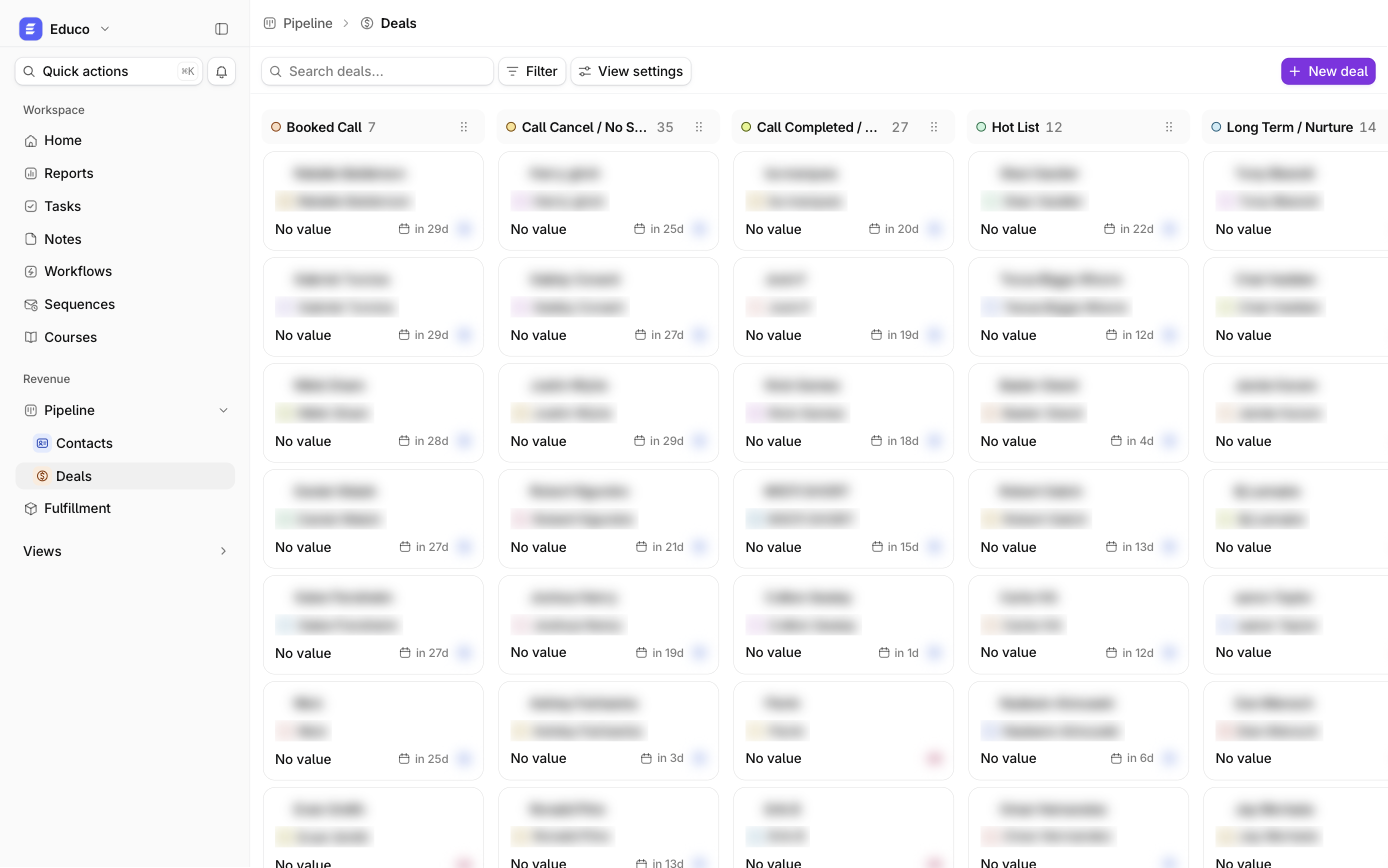
- Add, rename, reorder or recolor stages (12 colors) straight from the board.
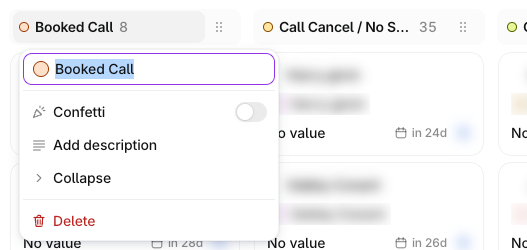
- Add a description to each stage, which teammates read from the info icon. For example: "Proposal sent: written proposal emailed AND a follow-up call booked. If no call is booked, it stays in Qualified." A rule like that is what keeps a pipeline honest.
- Turn on Confetti for a stage, typically Closed won.
- Delete safely. Deals are never deleted with a stage; you choose where they move first.
A call-based sales process might use Booked call → Call completed → Hot list → Closed won. An agency selling retainers might use Discovery → Audit delivered → Proposal → Verbal yes → Closed won.
Totals per stage, not just counts
Each stage header shows how many deals match your current search and filters. Under a stage's cards, Add calculation shows Sum, Average, Max or Min of deal value, or Count/Percent empty and filled. "What's sitting in Negotiation right now?" is answered on the board, without opening a report.
Deal value accepts plain numbers. Commas and "$" are ignored, and Edit deal refuses anything that isn't a number, so totals stay clean.
Moving deals without the mouse (or one at a time)
- Drag a card between stages, or arrange cards within a stage in Manual order.
- Keyboard: focus a card and press Shift + ←/→ to move it a stage, Shift + ↑/↓ to reorder, and Enter to open it.
- Bulk: tick cards (Shift-click for a range), then Move to stage, Assign owner, Add tag, Export CSV or Delete.
- Pencil edit: hover a card to edit name, stage, owner and value without leaving the board.
A board everyone can read their own way
View settings are personal: card fields, field labels, hiding empty fields, sort, and Visible stages. A closer can hide Closed lost from their own board without hiding it from anyone else. A collapsed stage shrinks to a slim rail with its name and count.
Pair the board with a saved view such as Deal owner is me AND Stage is any of Qualified, Proposal sent, Negotiation and each salesperson gets a pipeline review in one click.
From won deal to delivery
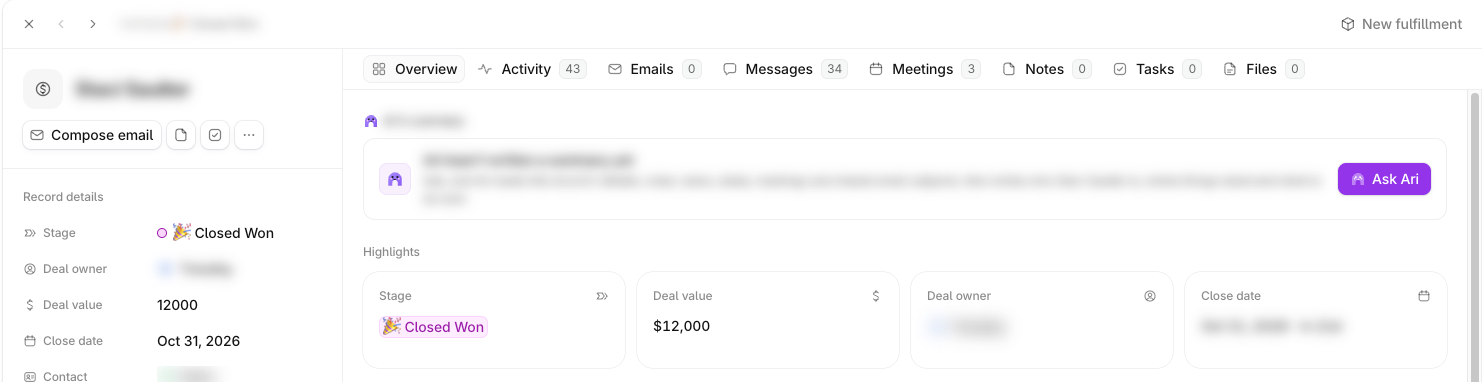
The deal record is where sales hands off. From the deal's top bar, New fulfillment starts a delivery checklist from a template, and the deal's Overview then shows its progress. Or let a workflow do it when the Stage field changes to Closed won. See client onboarding.
How it works in Ariyel
- Define your stages with the team, with one sentence per stage on what has to be true for a deal to be there, and add those as stage descriptions.
- Add the deal fields you'll sort by, such as service line, lead source or expected start date (up to 50 fields per object).
- Create deals from the board (Deal name, Stage and Deal owner are required) or from a contact's Deals picker so they're linked to the right client.
- Turn on stage calculations for Sum of deal value on the stages you forecast from.
- Save each rep's pipeline view and review it weekly.
- Report on conversion with a historical-progression funnel in Reports.
Implemented for you
Getting stage definitions right is most of the work of a pipeline. In implementation, Ariyel's team runs that conversation with you, configures the stages, descriptions and deal fields, and connects Closed won to your onboarding template. See how Ariyel is implemented.
FAQ
Can I see pipeline value by stage? Yes, two ways: Add calculation → Sum under each stage on the board, or a bar chart in Reports with Sum of deal value by Stage.
Does a deal have to be won before delivery starts? No. A fulfillment checklist can start on any deal. Your team decides when delivery begins.
What happens to deals if I delete a stage? You pick a destination stage first and the deals move there. A pipeline always keeps at least one stage.