
Team training software for small businesses, inside your CRM
Ariyel Courses gives your team one place to learn how your business works: courses made of ordered lessons, each with a Loom, YouTube or Vimeo video, written step-by-step notes and links to the files they need, published privately to your workspace, right next to the CRM and client checklists the lessons describe.
In most small service businesses, training is the founder explaining the same thing for the fifth time. The recording is in a chat thread, the checklist is in a doc nobody can find, and the reason you do it that way exists only in your head. Courses gives that knowledge a permanent home, and because it's in the same workspace your team already uses all day, they'll actually go back to it.
Why training belongs in the same place as the work
A standalone training platform is one more login and one more place to search. In Ariyel:
- The lesson sits beside the work it teaches. A new account manager learning "how we run a kickoff" opens the lesson, then opens the client's fulfillment checklist in the same workspace.
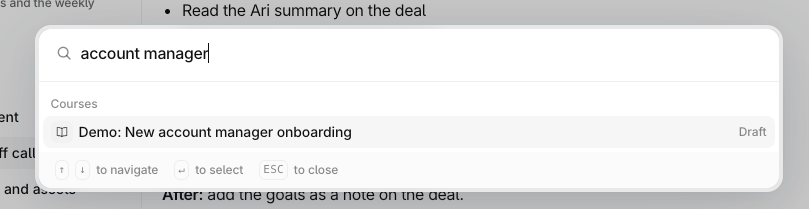
- Quick actions (⌘K) find courses by title, so "how do we do the monthly report?" is three keystrokes away.
- Fulfillment says what, Courses say how. A fulfillment step like "Set up client reporting dashboard" can point to the lesson in its instructions, so the template stays short and the lesson holds the detail. See client onboarding.
What a course is made of
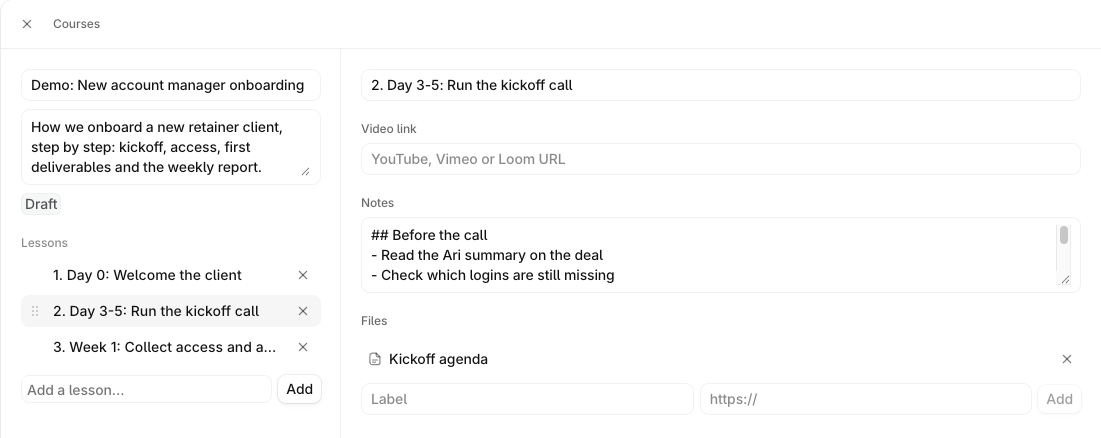
A course has a title (up to 120 characters), a description, and an ordered list of lessons you rearrange by dragging. Each lesson holds:
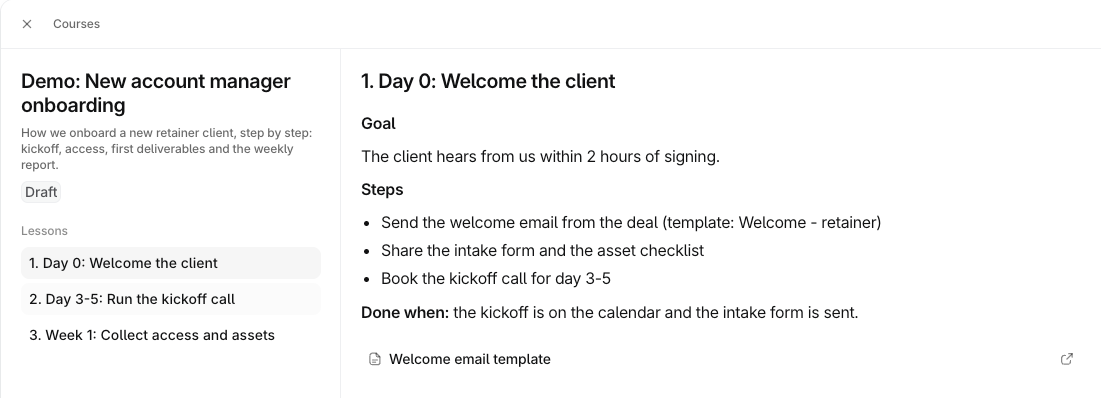
- One video: paste a YouTube, Vimeo or Loom link. The video stays hosted where it is; Ariyel embeds it.
- Notes up to 20,000 characters, shown formatted to readers:
#headings,-bullets,1.numbered steps, bold, italic, and links. This is where your written SOP lives. - Files: labeled links to resources, such as a Google Doc template, a pricing sheet or a brand guide.
Readers move through the curriculum with the arrow keys, Home and End.
Example: a course for a new account manager
| # | Lesson | Video | Notes include |
|---|---|---|---|
| 1 | Who we serve and what we sell | Founder, 6 min (Loom) | Ideal client profile; the three services and what's in each |
| 2 | Reading a client record in Ariyel | Screen walk-through (Loom) | Where emails, meetings, notes and Ari's summary sit |
| 3 | Running the kickoff call | Recorded real kickoff | Agenda; what to capture in the deal note |
| 4 | Working the onboarding checklist | Screen walk-through | When to use Waiting; how to add a one-off step |
| 5 | Weekly client update | Example update | Template link under Files |
| 6 | When to escalate | — | Numbered decision list |
Other courses service businesses build first: Sales playbook (qualifying, discovery-call prep, logging the next step), Delivery SOPs per service, Tools and access, and How we talk to clients.
Draft, publish, maintain
- Owners and admins author; other members read. If New course isn't visible, that's the role, not a hidden button.
- Drafts are private to owners and admins and show a Draft tag. Publish makes the course available to every workspace member; Unpublish takes it back.
- Duplicate a course to make a variant ("Account manager onboarding (copy)"), with every lesson, video, note and file link included.
- Search, sort and switch layouts: the list view shows Lessons, Created by and Added, so you can see what's stale.
- Workspace-only. Publishing never creates a public link. A member following an old link to an unpublished course sees This course is gone.
Training that becomes practice
Watching a lesson isn't the same as doing the work. A simple loop that works:
- Send the new hire the course.
- Create an assigned task for a practical review ("Walk me through the onboarding checklist for Client X"), linked to a real client record.
- Completing that task records that the review happened.
That's coaching, and it reflects how Ariyel itself is sold: software plus people who train your team.
How it works in Ariyel
- Pick the explanation you repeat most. That's your first course.
- Record it in short pieces, one Loom per lesson, each under 10 minutes.
- Courses → New course, then add a title and description, and add lessons in the order the work happens.
- Paste the video link, write the steps in Notes, add file links.
- Choose Done to review it as a reader, and check every link opens for a non-admin.
- Publish, send it to the team, and pair it with a practical-review task.
- Name an owner for each course and review it whenever the process changes.
Implemented and coached
This is where the hybrid offer matters most. Software can host your training, but someone has to get it out of your head. During implementation Ariyel's team helps you plan the courses your roles need. Coaching then keeps them current as the team grows. See implementation and coaching.
FAQ
Can I use my existing Loom SOPs? Yes. Paste each Loom link into a lesson and add the written steps in Notes. Your Loom sharing settings must allow your teammates to view.
Can clients see our courses? No. Courses are visible only to members of your workspace, and drafts only to owners and admins.
How is this different from a shared Google Drive folder? Order, context and findability. Lessons are sequenced, each pairs the demo with written steps, and the course is one keystroke away inside the tool the team works in all day.